Block
Max Mega Menu comes with a built in block. This allows easy insertion of menus into your block editor/Gutenberg/full site editing layouts. An example of this can be seen on our Vertical Menu demo page.
Step 1: Registering a new menu location
First we’ll need to create a new menu location specifically for use with the block.
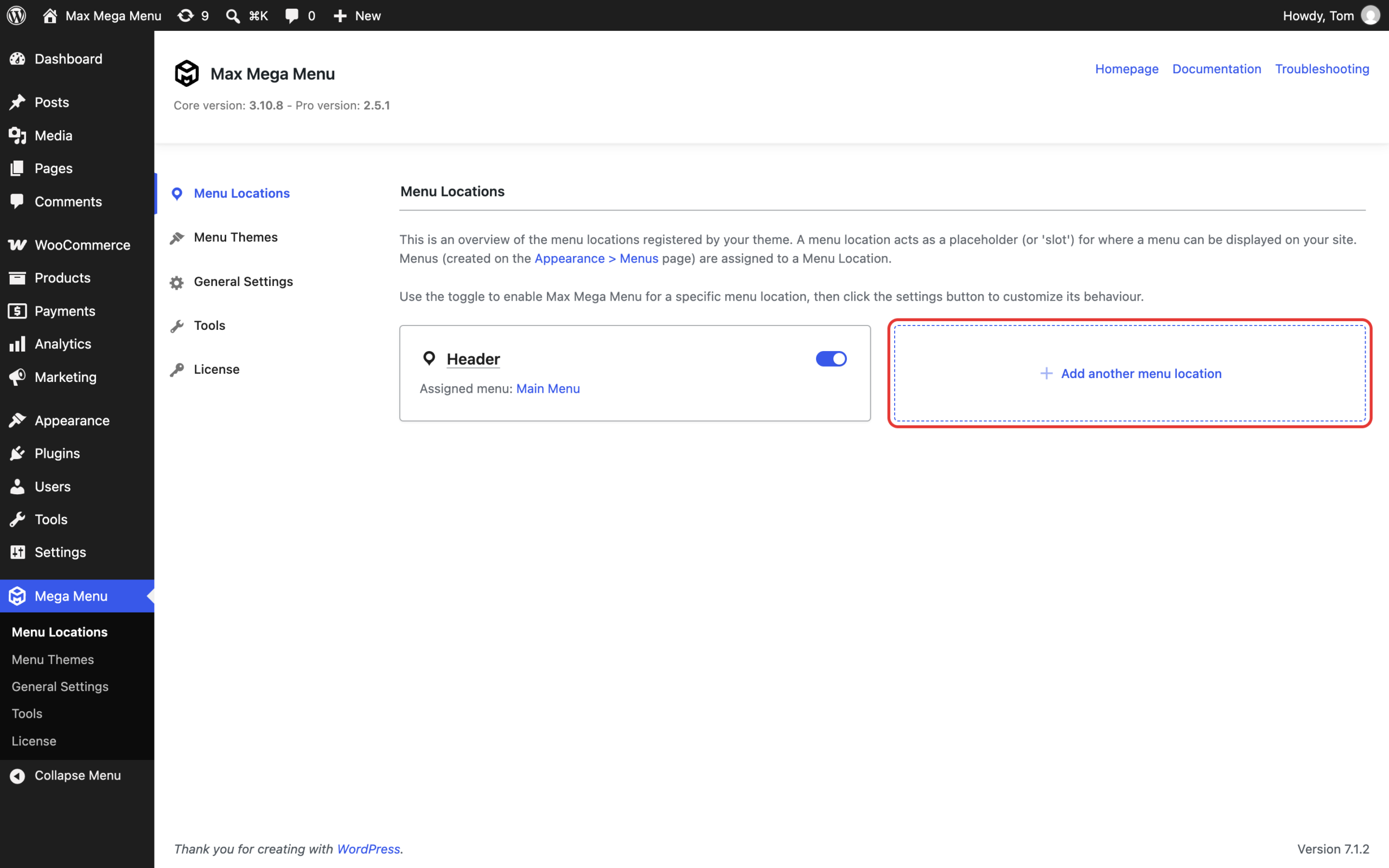
Under Mega Menu > Menu Locations, click “Add another menu location”:
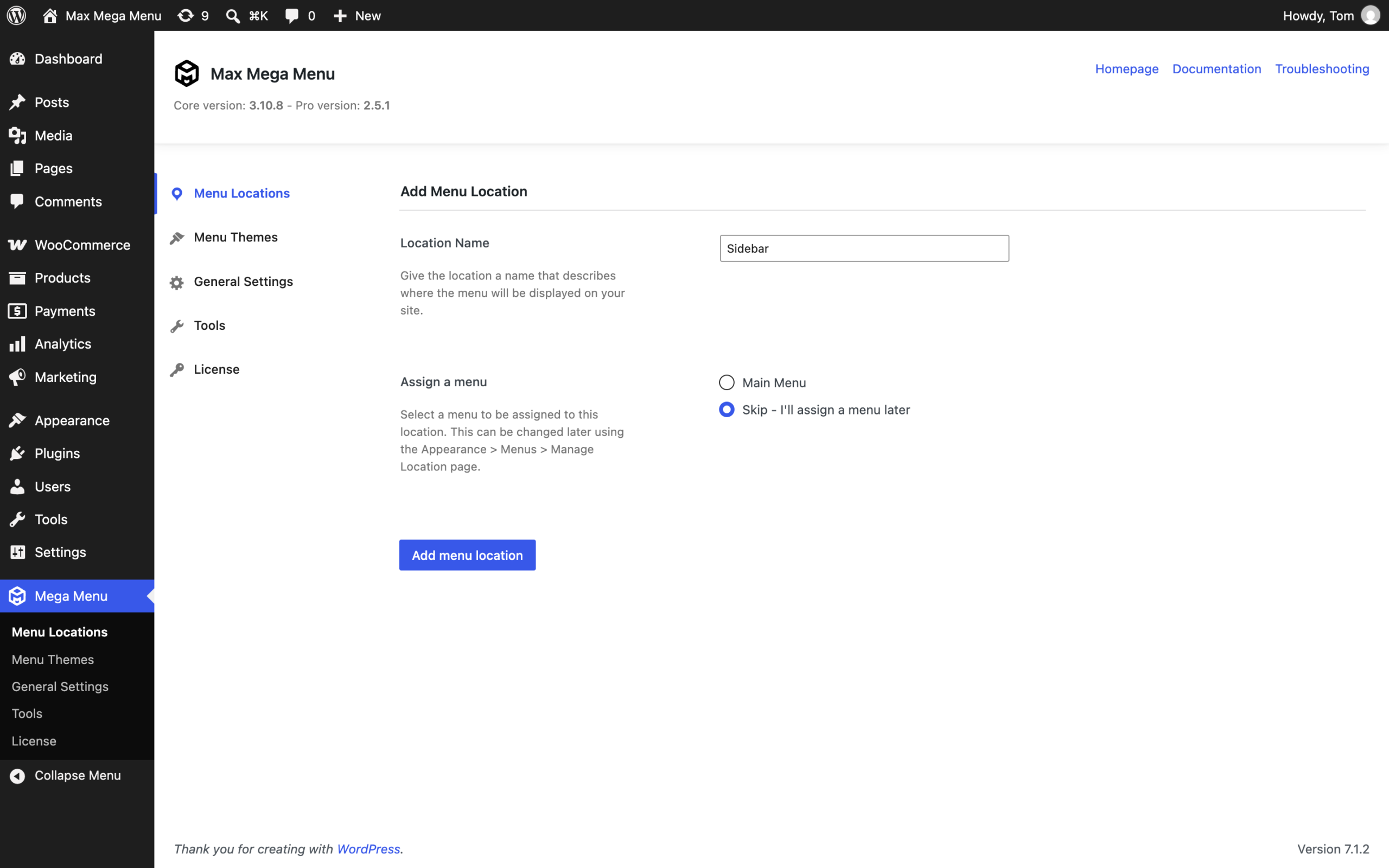
On the next page, provide a name for the new location. You can also assign an existing menu to the location here, or choose “Skip – I’ll assign a menu later”. Click ‘Add menu location’.
Step 2: Creating the menu
Use the Appearance > Menus page to create and edit your menu. All menu editing from this point on is done using this page.
Step 3: Display the menu in a post or page
Add the Max Mega Menu block to your post or page, then select the menu location created in Step 1 from the “Menu Location” panel in the block settings:
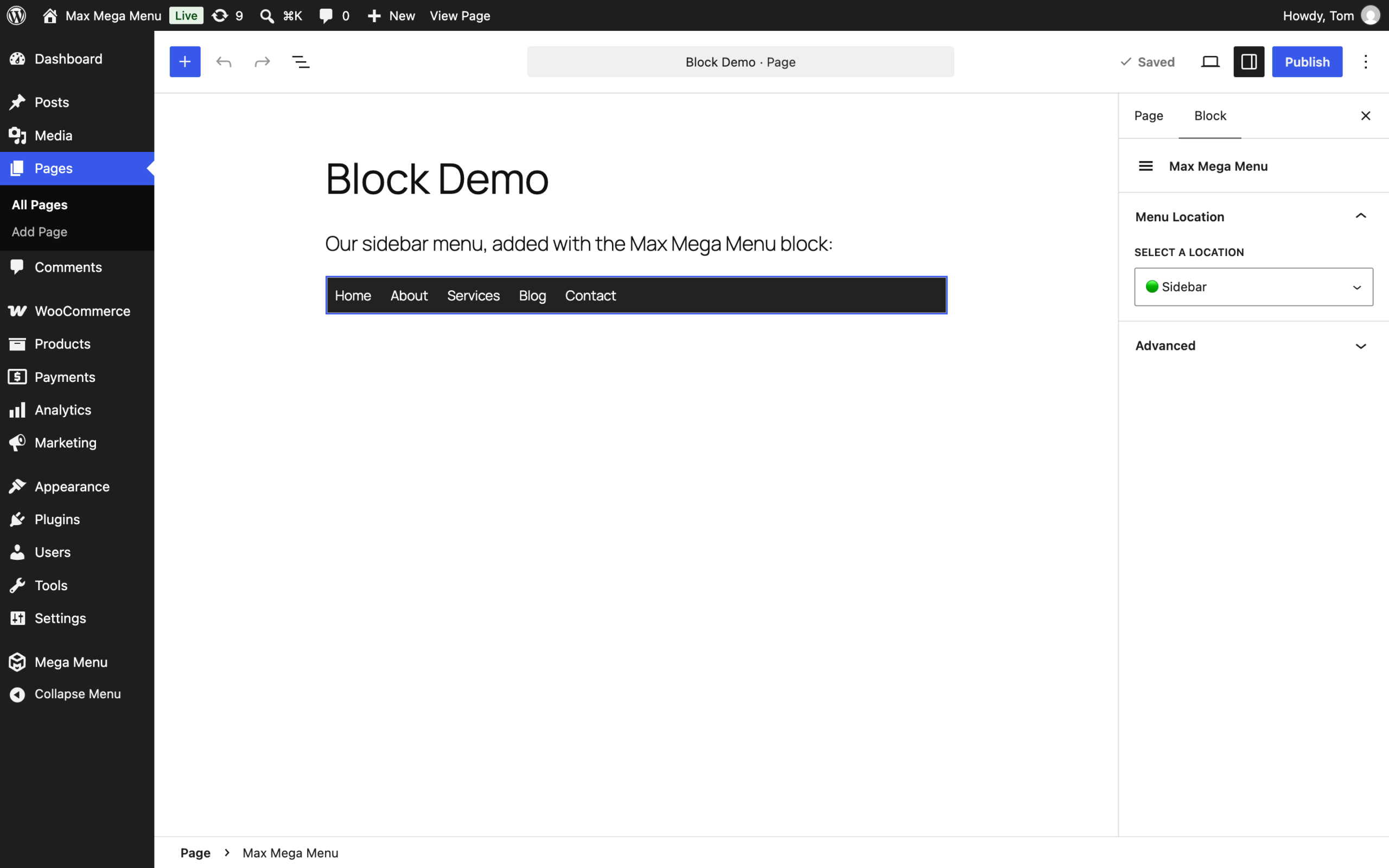
Like any other Max Mega Menu enabled menu, you are free to restyle the menu using the Theme Editor and use all of the usual mega menu options to customize the menu.
You can repeat the same steps to create and display multiple Mega Menus on your site.