Mobile Toggle Blocks
What is a ‘Mobile Toggle Block’?
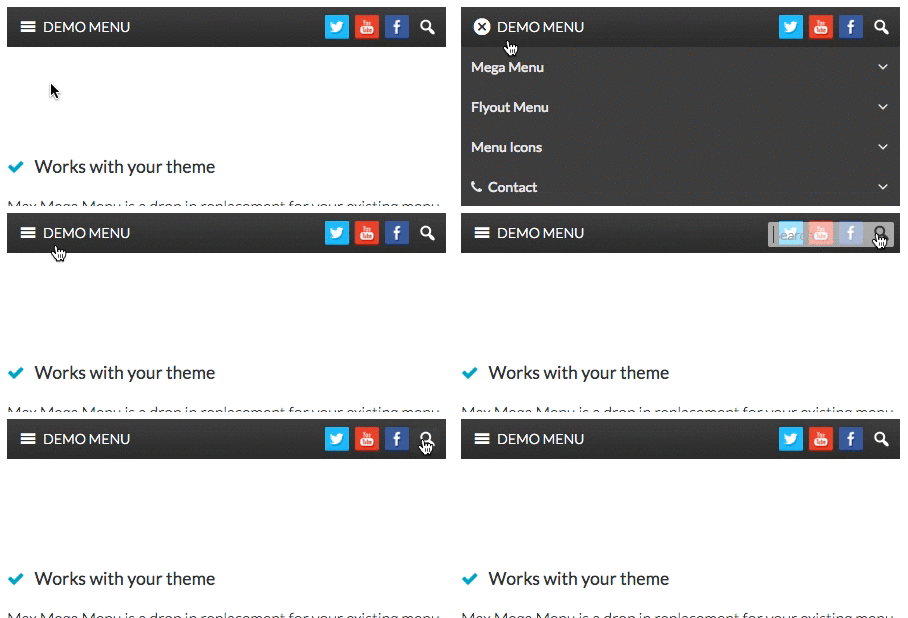
Mobile Toggle Blocks are displayed inside the toggle bar when the site is viewed on a mobile:
How to add Mobile Toggle Blocks to your menu
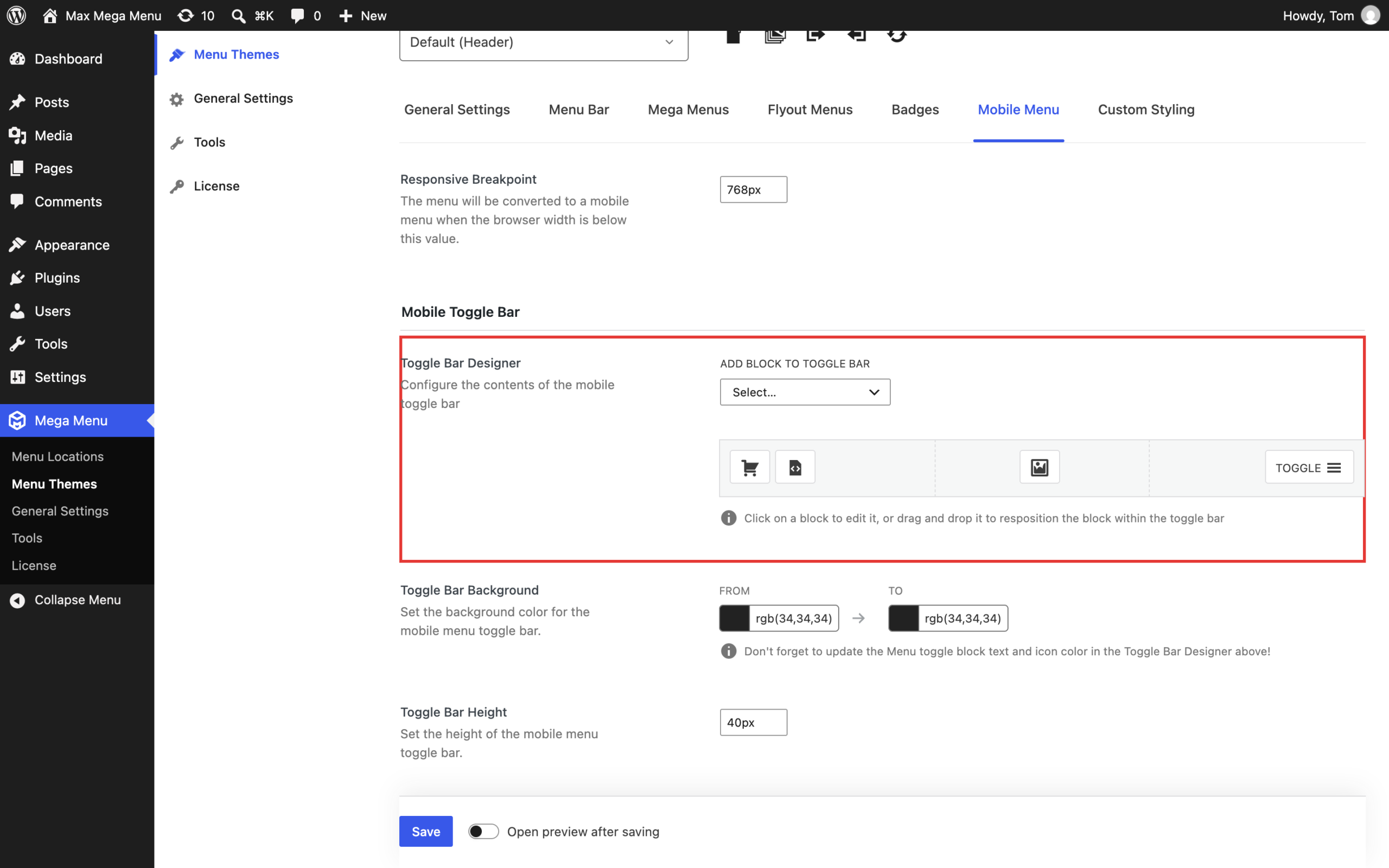
To configure the blocks displayed on your mobile toggle bar, go to Mega Menu > Menu Themes. Select your active menu theme and go to the “Mobile Menu” tab.
Blocks can be added to the toggle bar and dragged into position (either left, center or right aligned).
Available Block Types
The following blocks are available:
- Menu Toggle (Standard) (Opens and closes the mobile menu)
- Menu Toggle (Animated) (Animated hamburger icon that opens and closes the mobile menu)
- Menu Toggle (Custom) (Opens and closes the mobile menu using your own images for the open and closed states)
- Spacer (Useful for adding space between each block)
- Logo / Image (Select an image from your media library with optional link)
- Search (Expanding search box)
- HTML (Enter your own HTML, accepts shortcodes)
- Icon (Display an icon with optional link)
Like what you see? This functionality is available in Max Mega Menu Pro